
Scantech FLEXSCAN Web Gauging Software & HMI
See changes in the web as production runs. FLEXSCAN lets operators view measurement profiles, select product recipes and respond to alarms. Gauge Advisor helps match the software, operator steps, reporting and any planned control functions to your line.
 Gauge Advisor is an authorized Scantech sales and applications support representative. For new Scantech systems or reviewed upgrades, request FLEXSCAN and HMI pricing from Gauge Advisor. The quotation defines software functions, operator displays, TREX reporting and any compatible control scope.

Turn measurement results into useful process adjustments
FLEXSCAN gives each product a repeatable setup and shows production, quality and engineering the same view of the running web. Operators can see variation and follow an agreed response.
Repeat the product setup
Apply the configured material calibration, target, tolerances, die map and slitter or usable-web zones from a named recipe.
See variation in context
Review the live cross-direction profile, machine-direction movement and selected statistics without reducing the process to one average value.
Respond consistently
Use defined targets, tolerances and alarm messages to make the required response clearer across shifts and product changes.
Use and share the results
Export the current profile, review roll or production data, or use the measurements to guide manual die adjustments. TREX adds access to saved reports when included. Automatic control requires a separately specified control system.
From sensor readings to operator decisions
Start with a sensor suited to the material and measurement. Use the product recipe and line information to interpret the result and decide how to respond.
Measure the running web
The configured scanner and sensor traverse the usable width and build the measurement profile.
Apply the product recipe
FLEXSCAN applies the selected material and recipe, presents the configured mappings and filters, and limits actions according to the assigned user role.
Display the measurements
Operators review profiles, trends, zones, statistics and alarm messages in the configured line view.
Use the measurement result
Review the current profile and roll or production views. Browse report history in TREX when included, or send measurement data to a compatible, configured control system.
A recipe should preserve more than a product name
FLEXSCAN stores the measurement settings for each product in a recipe. Operators can recall the approved settings during product changeovers instead of entering them from memory.
- Material calibration: use a configured coefficient established from an accepted laboratory value or sample measurement procedure.
- Targets and tolerances: display the intended result in percentage or configured engineering units.
- Web mappings: relate measured positions to die bolts, slit lanes, edge discard or other configured zones.
- Active recipe status: confirm which named recipe is applied for the current product before relying on its targets and mappings.
Commissioning matters: some line-level parameters are established in the engineered configuration and are intentionally not editable from the product recipe.
Understand the live display, control status and saved reports
Choose the functions your operators and quality team need: live measurements, control status, and reports they can retrieve after a roll is complete.
Profiles, trends and production views
Standard operator viewsView cross-direction (CD) thickness profiles across the web, machine-direction (MD) trends along its length, selected statistics and roll or production data for the current product.

Zones and process views
ConfiguredPresent lanes, zones, edges or other application-specific views so the screen reflects how the finished product is judged.
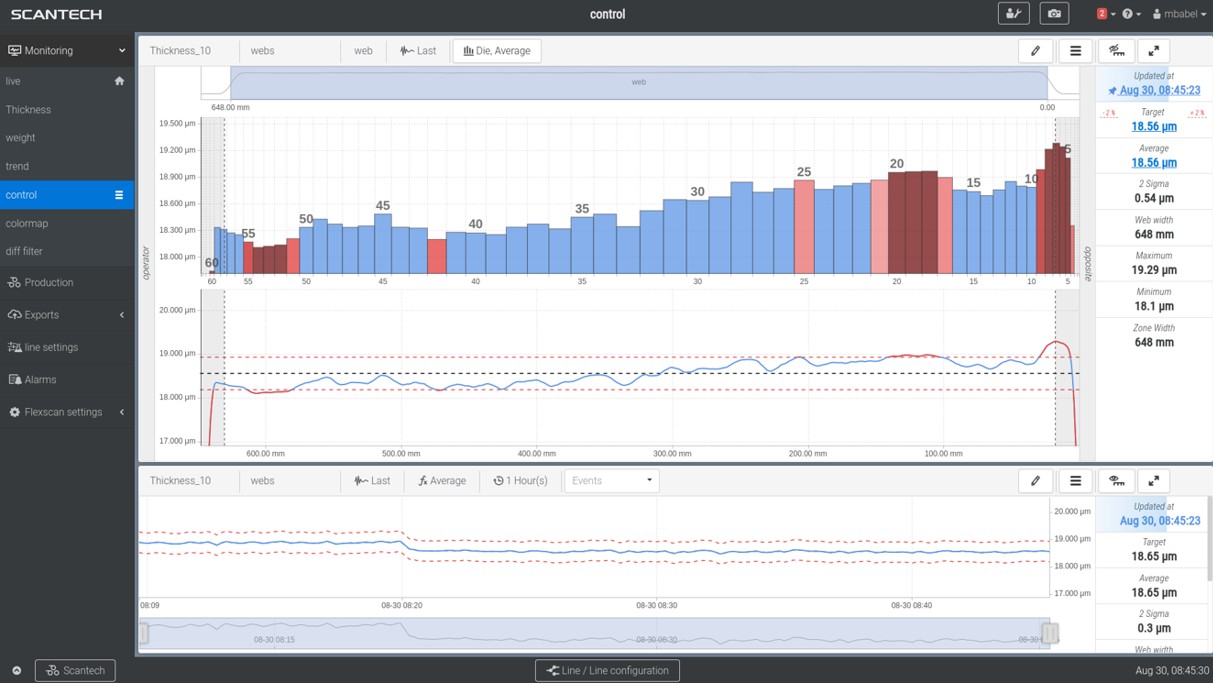
Configured control status
Optional controlOn an engineered BC3 project, inspect the measured profile, target, correction state and configured control boundaries before and during automatic action.

Find and review saved production reports
TREX reportingWhen TREX is included, browse, tag, sort and retrieve current and archived production reports for quality, production and process review.

See the measurements behind each die adjustment
Operators can use FLEXSCAN measurements to guide manual die adjustments. When a separately engineered automatic control system is installed, FLEXSCAN can also display its status. For BC3 die-bolt control, the display can show the following information.
Confirm the included control functions: exact screens, calculations and history depend on the FLEXSCAN release and delivered control configuration. A scanner alone does not automatically regulate the die or machine-direction average.
Use FLEXSCAN during production and TREX to review reports
FLEXSCAN shows live measurements and production data. TREX adds tools to find, organize and review current and archived production reports. Confirm which reporting functions are included in your quotation.
Choose the operating and reporting functions together
The final software package should follow who needs the information, when they need it and how long it must remain available.
| Need | FLEXSCAN | TREX |
|---|---|---|
| Primary user | Line operator, technician and process engineer working with the running web. | Quality, production and process teams reviewing completed production and earlier events. |
| Primary view | Live profile, trend, targets, tolerances, zones, alarms, configured control state and operational roll or production average and trend views. | Current and archived production-report browsing, tagging, sorting, retrieval and configured roll-report output. |
| Product context | Applied material definition, recipe and operating mappings. | Configured production identifiers, tags and historical organization. |
| Data output | Current-profile export plus configured operational roll and production views. | Find current and archived reports for the agreed storage period and review procedure. |
| Included functions | Core operator functions follow the delivered FLEXSCAN configuration. | TREX may be included or separately optioned by application package; the written quotation controls. |
| Project question | What must the operator see and do now? | Which production records will the team need to review later? |
Choose a location for the operator interface (HMI)
Console, compact, mounted and desktop formats can support different line layouts and plant practices. Final enclosure, environmental protection, I/O, mounting and access requirements are selected for the project.
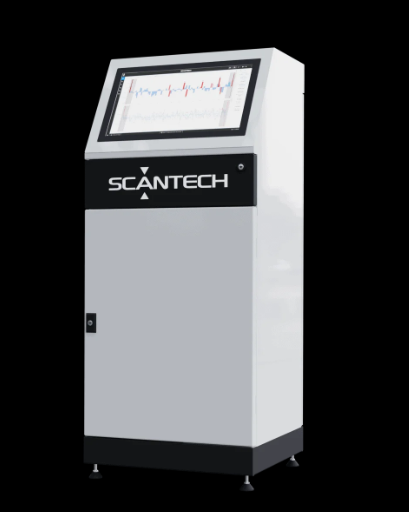
Console HMI
Freestanding operator-station format for a defined line location.
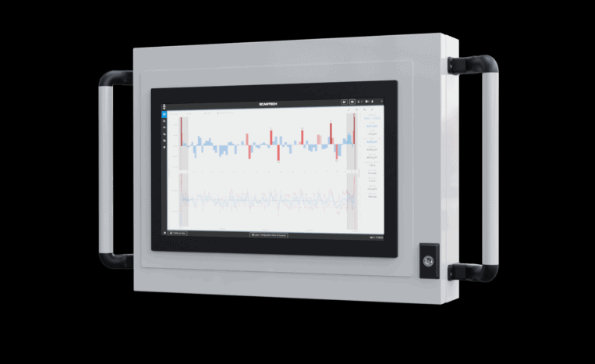
Compact cabinet
Smaller packaged format when floor space and line access are constrained.
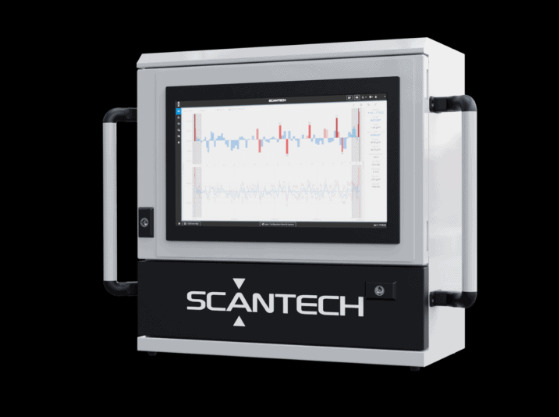
Mounted cabinet
Integrated placement for projects with an approved support and service location.
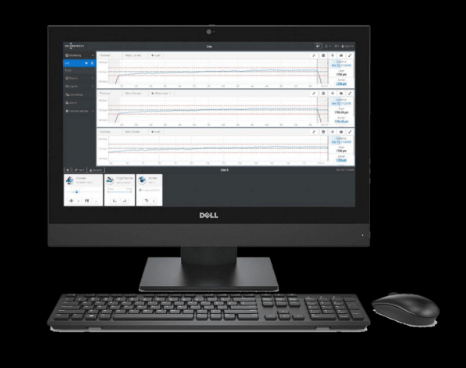
Desktop workstation
Control-room or engineering-station format where a cabinet HMI is not required.
Packaging note: these formats illustrate the HMI choices that may be available. Confirm the current Scantech offering, display, environmental rating, cabinet contents and plant standard for the quoted project.
The software should help separate a process problem from a measurement problem
Maintenance users can review system status and diagnostic information. Gauge Advisor helps define the acceptance checks, support responsibilities and records your plant should keep.
Check the installed software version: exact service views, exports, configuration handling and recovery procedures depend on the delivered generation and software release. Full-system automatic backup is not assumed.
Current alarms and versions
Record current alarms and software versions before troubleshooting the scanner, software or line connections.
Scan and calibration records
Review lifetime scan counts and the latest available zero, mechanical-correction and linearization status or results.
Condition and selected exports
Use configured temperature, drive and hardware information, then provide relevant trends, profiles or recorder data when available.
Configuration records
Confirm which settings and equipment configurations can be backed up, imported or restored in the installed software version.
See how FLEXSCAN fits your web process
Configure FLEXSCAN for the measurements your process needs, whether you produce cast film, biaxially oriented film on tenter lines, coated web or sheet.
Film & sheet measurement
Compare measurement systems for cast film, blown film, sheet and related processes.
Explore film and sheet measurement Two scanning stationsBiax film measurement
Review pre-stretch and post-stretch scanning, tenter-edge resolution, a shared encoder reference, application-engineered mapping and line-width choices.
Explore biax film gauging Coating applicationsWeb coating measurement
Match the measurement channel, lanes, coat-weight objective and report to the actual coating structure.
Review coating measurement Complete system hubWeb gauging systems
Compare scanner platforms, measurement channels, HMI, reporting, service and optional control as one system.
Explore the complete systemBuilding the capital case first? Use the web gauging system ROI calculator.
What engineers and operators usually want clarified
What is Scantech FLEXSCAN?
FLEXSCAN is Scantech’s operator software for online web gauging. It displays live profiles, trends, product recipes, material calibration, targets, tolerances, zones, alarms and selected statistics. Available functions depend on the installed system and software version.
Is FLEXSCAN included with every Scantech system?
The operator software is part of many Scantech web-gauging systems, but the exact software modules, views, licenses, HMI hardware and interfaces follow the quoted project. Confirm the current package for the specific scanner and application.
Does FLEXSCAN automatically control the line?
No. Operators can use FLEXSCAN measurements to make manual adjustments. FLEXSCAN can also display the status of an installed automatic control system. BC3 and machine-direction control require additional hardware, connections, operating conditions, a process model and commissioning.
What can a FLEXSCAN recipe contain?
For a configured line, a named recipe can combine a material definition, calibration coefficient, measurement target and tolerances, die mapping, slitter mapping and usable-web zones. Some line-level parameters remain in the commissioned configuration and are not editable from the operator recipe.
How is material calibration handled?
FLEXSCAN can use a calibration coefficient for each material, established from a manually entered laboratory value or a measured sample. The project must define the reference method, sample handling, product conditions and verification procedure.
What is the difference between FLEXSCAN and TREX?
FLEXSCAN runs product setup, profiles, trends, alarms, configured control visibility, current-profile export and operational roll and production views. TREX works alongside FLEXSCAN for browsing, tagging, sorting and retrieval of current and archived production reports. TREX availability and included functions follow the Scantech application package and written project quotation.
Can FLEXSCAN show lanes, zones and edge regions?
Yes, the delivered configuration can define macroprofiles, filters, slitter or usable-web zones and other application-specific views. The available zones and statistics depend on how the line, measurement channels and production requirements are configured.
What data can be exported?
FLEXSCAN can export the current profile and display roll and production data. Browsing, tagging, sorting and retrieval of current and archived production reports can be handled by TREX when included in the application package, or through the agreed plant data system.
Can FLEXSCAN use different operator and engineering access levels?
Yes. The documented platform supports named users, assigned roles and configurable permission levels across the operating and maintenance environment. Exact roles and access policy follow the delivered configuration. Role management is not by itself a compliance-grade audit trail or cybersecurity certification.
Can FLEXSCAN connect with plant systems?
Scantech projects can include configured line I/O, encoder references, network interfaces and data exchange. The exact tags, protocols, ownership, permissions, cybersecurity review and validation must be defined for the installed plant systems.
Specify the FLEXSCAN functions your team needs
Share what you make, what you measure, the operator steps and reports you need, and any planned automatic control. Gauge Advisor will help select the FLEXSCAN functions, TREX reporting and equipment connections to include in the Scantech quotation.